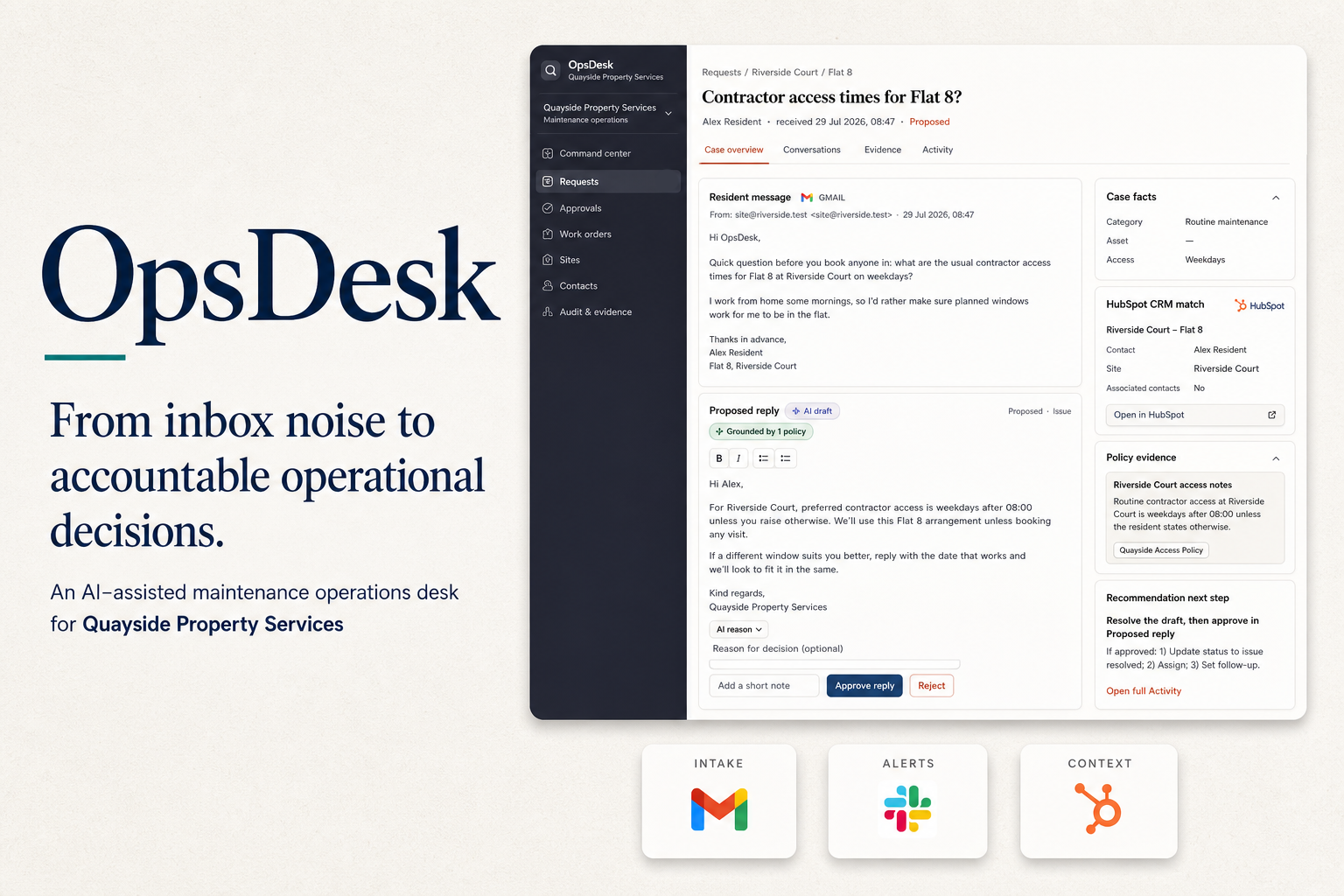
Sound familiar?
Urgent issues should not depend on who notices the inbox first.
The same inbox also carries routine fixes and chargeable requests. Without a clear path, urgency gets buried, authority is debated mid-conversation, and the evidence of who decided what is scattered across email, chat and memory.
The inbox problem
- Urgent hazards sit beside routine requests
- Chargeable work moves forward without clear authority
- Decisions are scattered across inboxes, chat and memory
What that creates
- Hazards are harder to spot quickly
- Approvals stall or happen too late
- There is no reliable timeline for disputes or follow-up
What changes in practice
Every request becomes a case your team can approve and track.
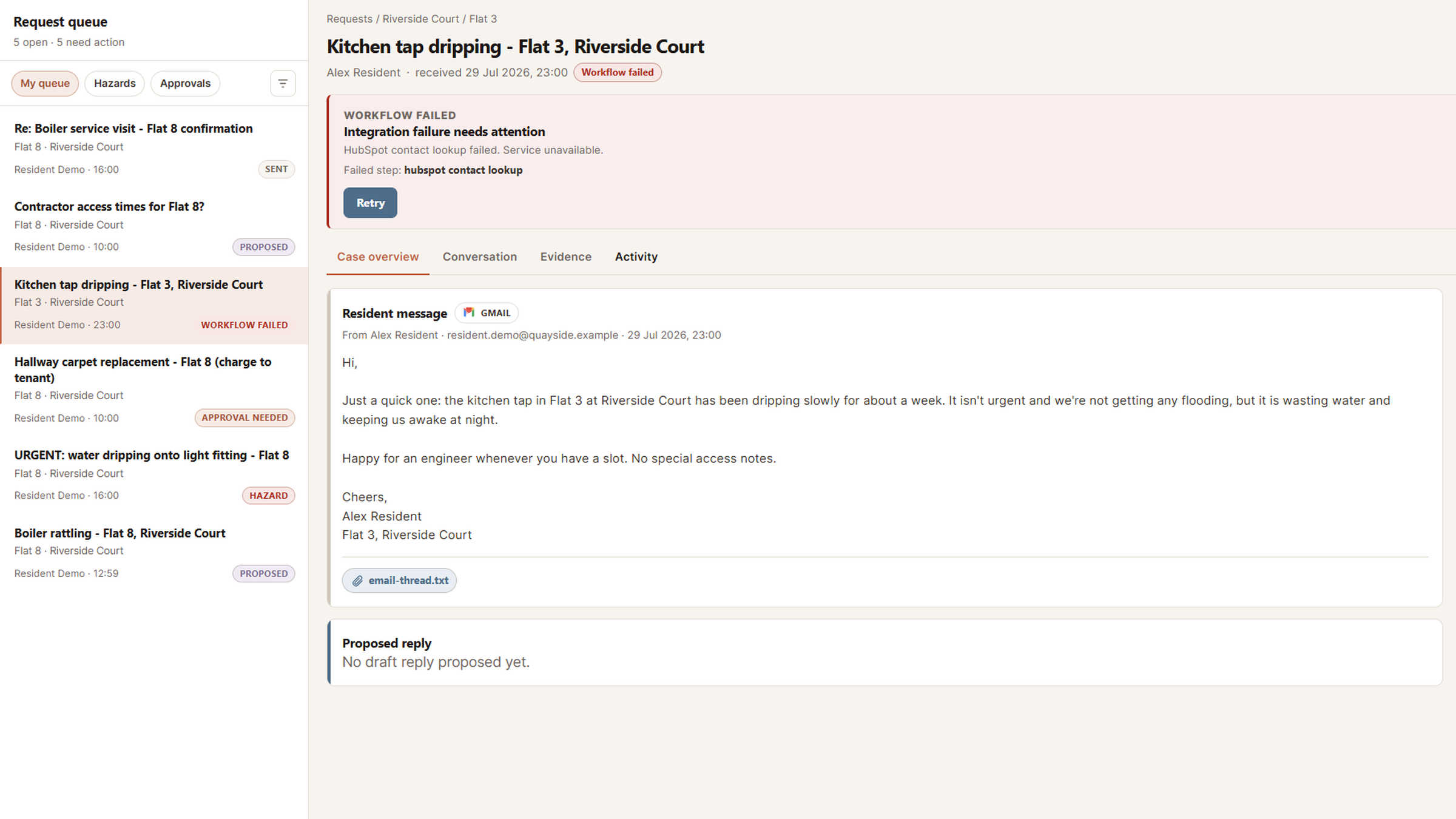
OpsDesk reads the message in Gmail, identifies the property, issue and urgency, checks the request against your rules, looks up relevant context in HubSpot, and routes the right alerts through Slack. It prepares a reply using your policies and site context. When risk, cost or uncertainty matters, the case waits for your team to approve the next step. Failed integrations stay visible and can be retried without losing the history.
-
Gmail intake
-
Identify issue and urgency
-
HubSpot context and policy check
-
Automatic Slack routing · AI-drafted reply
-
Approve and audit
What the system handles
- Find the property, issue, urgency and requester
- Check the request against safety and authority rules
- Pull relevant context from HubSpot and prepare a customer-ready draft
- Route alerts through Slack and show failures clearly for recovery
What your team still controls
- Spend and sensitive actions still require approval
- Approving a draft does not automatically trigger sensitive work
- Your team can retry a failed integration without losing the case
- Every decision, draft and outcome is recorded
Three example paths
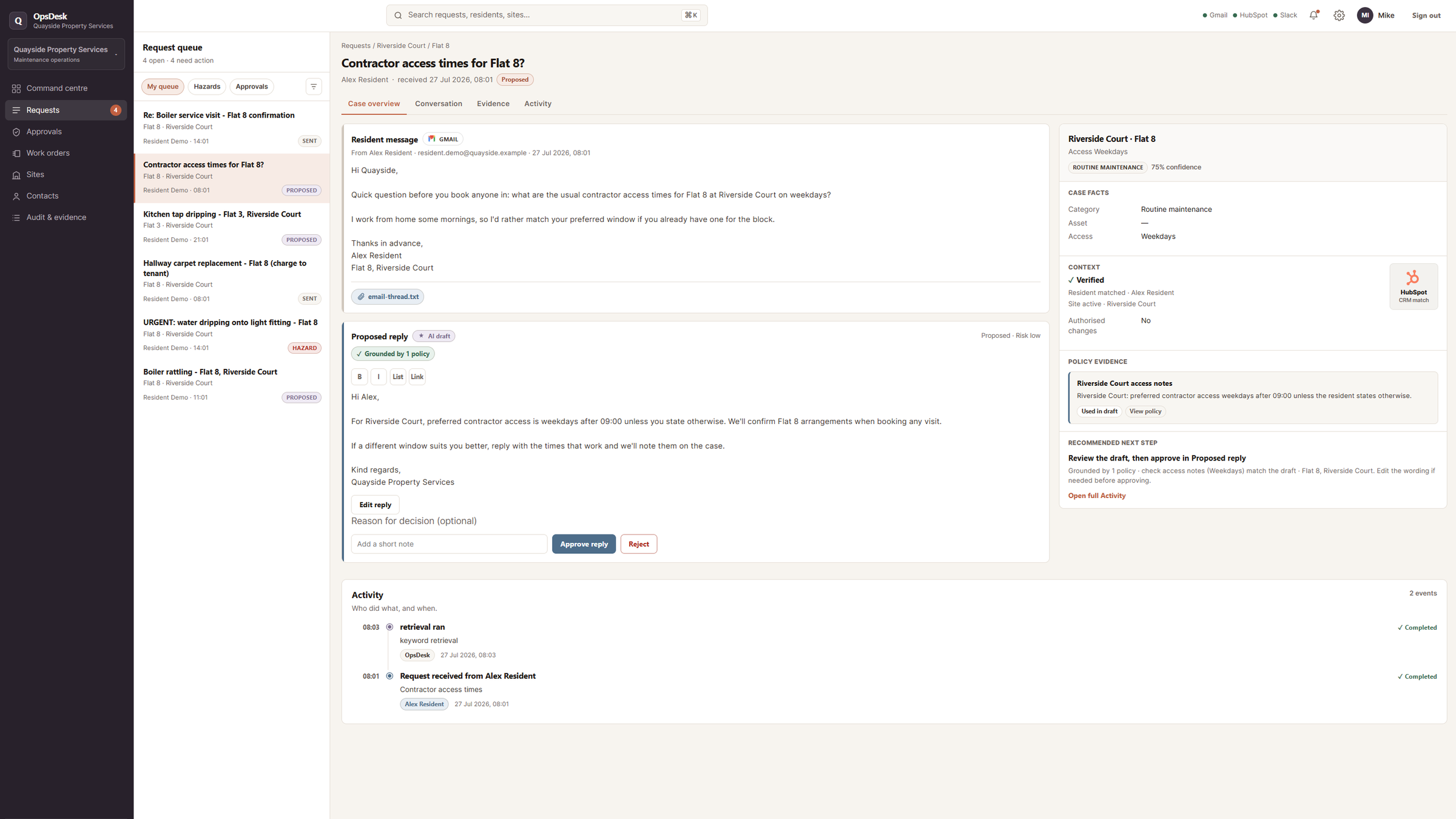
Boiler not heating
routine reply ready
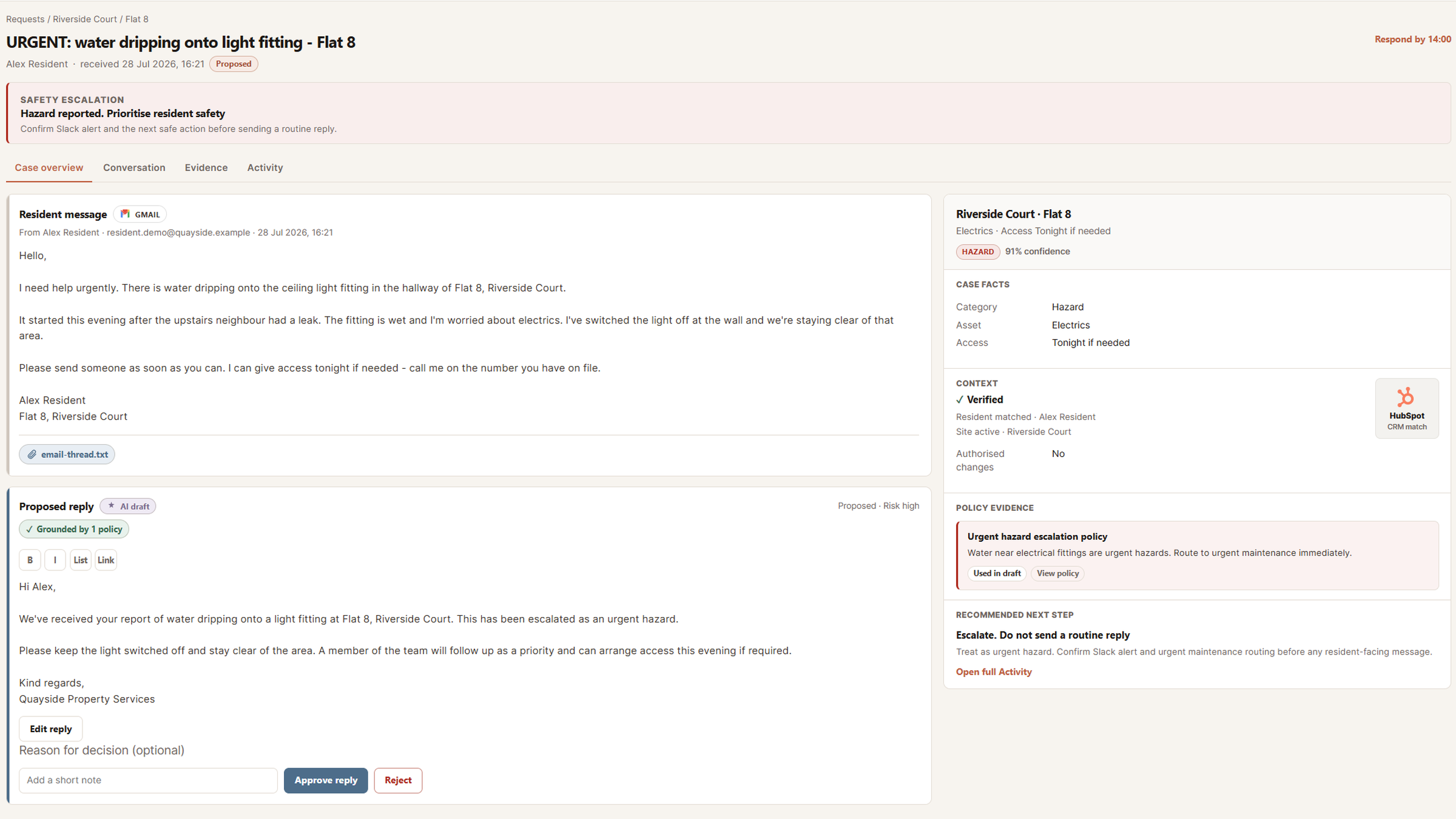
Water near electrics
hazard escalated
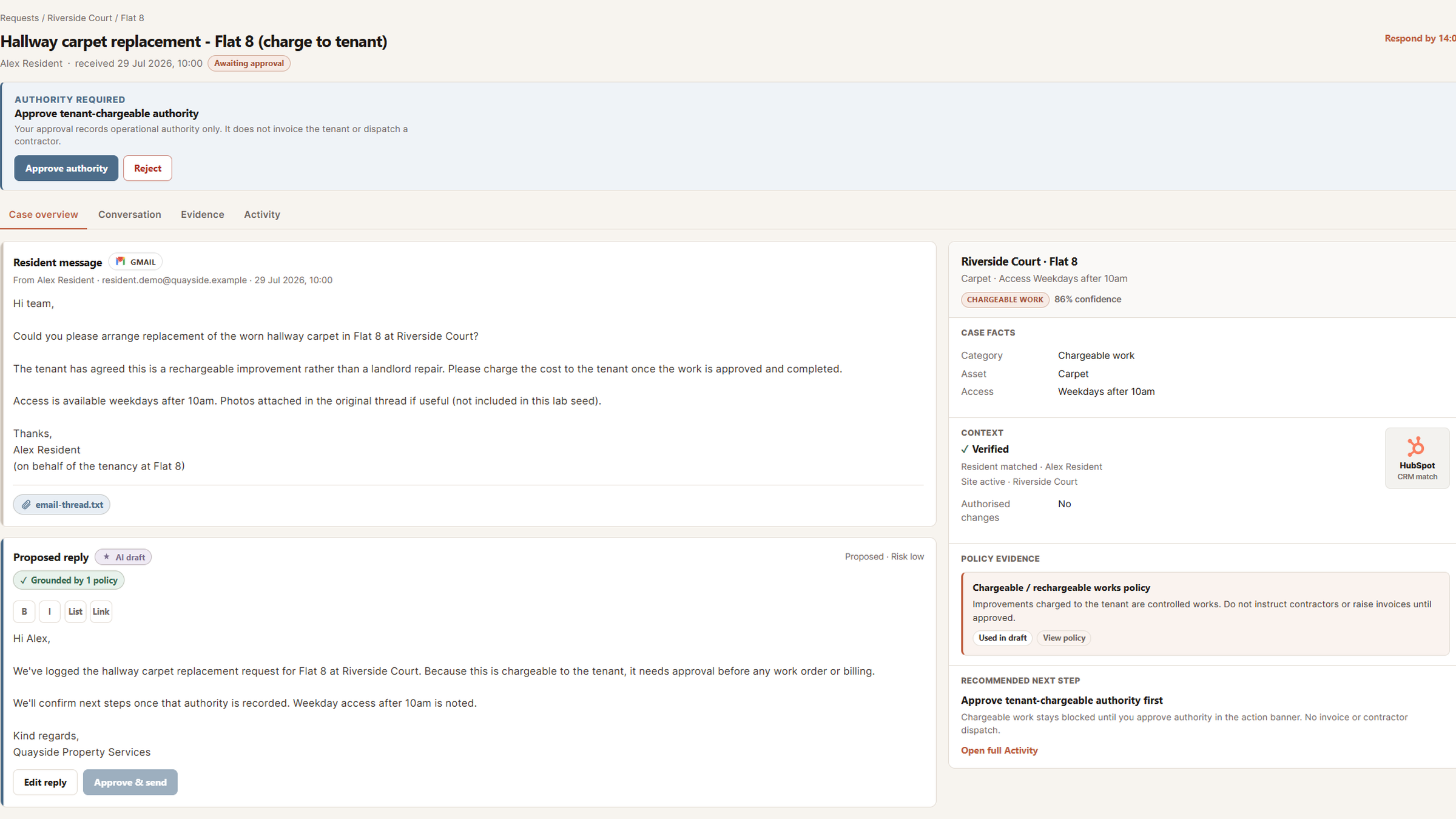
Tenant-damage carpet
authority checked first
AI prepares the work. Rules and people control risk.
How it is built (and what I learned)
Predictable workflow beats “agent magic”.
Rules handle risk
Hazard escalation and spending authority follow explicit rules after the request is structured. The model does not decide either one on its own.
Fewer surprises. More predictable behaviour under risk.
People approve sensitive actions
AI prepares the work, but spend and other consequential actions stay behind a human approval boundary.
A narrower automation surface with clearer trust boundaries.
Failures stay visible
If an integration fails, the case moves to a visible needs-attention state with retry. Work does not disappear into a silent error.
Operator attention instead of hidden failure.
Drafts use your context
Relevant policy and site information informs the draft, while the operator can review what shaped the response.
Simple and inspectable before complex retrieval.
How we measure quality
Getting it working once is not the same as knowing your team can still rely on it.
Your team relies on urgent hazards being surfaced quickly, chargeable work waiting for approval, and failed steps staying visible on the case. Those rules should still hold when the workflow changes, without someone manually re-testing every path.
Evaluation procedure
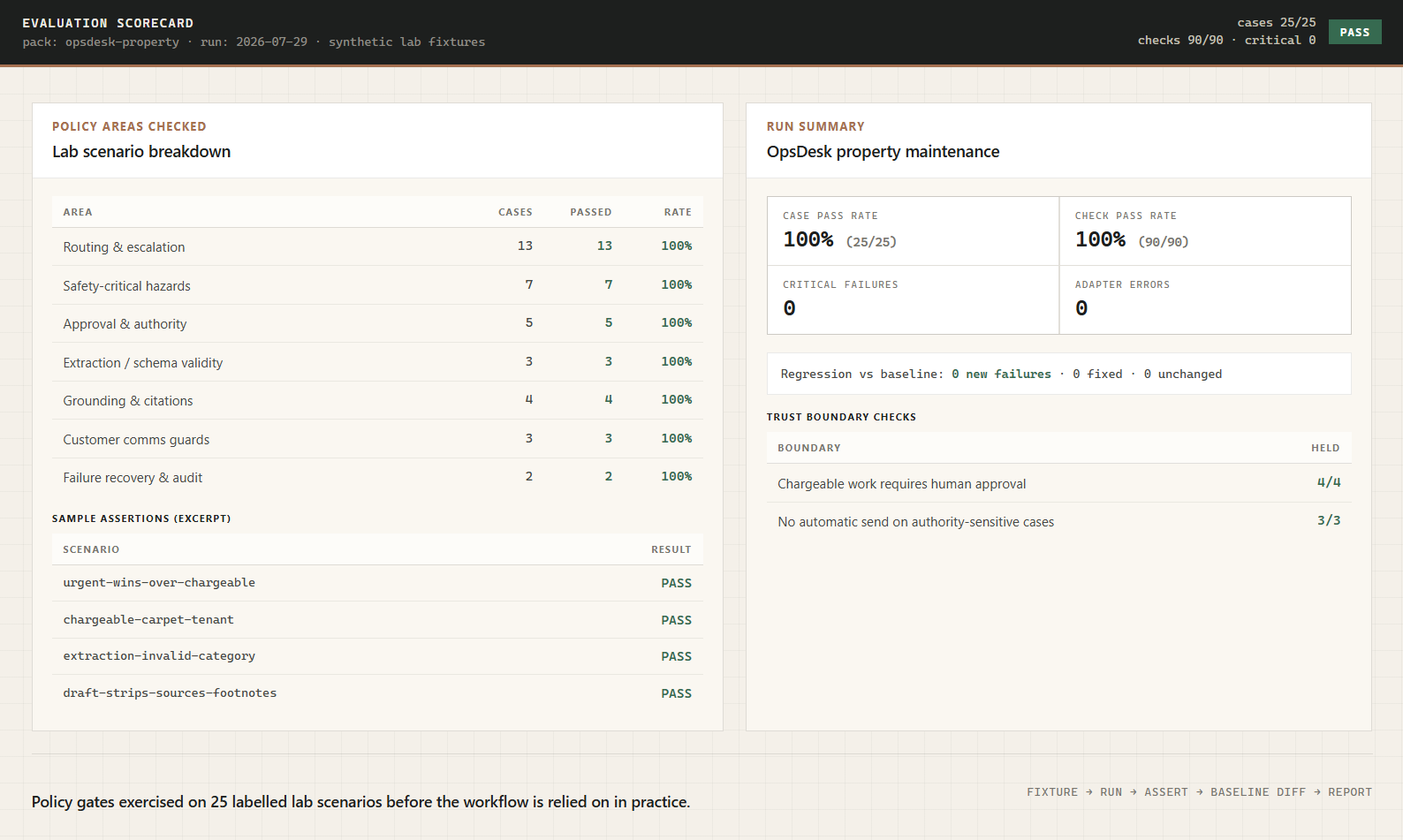
Alongside the desk itself, there is a separate evaluation procedure that runs practice scenarios through the same routing, approval, and draft rules your team would rely on in real use. Each scenario describes a situation and the policy the workflow should follow. The run produces a simple scorecard: what passed, whether approval gates held, and whether anything broke compared with the last known-good version.
What gets checked
- Urgent hazards still beat chargeable language when both appear
- Chargeable work still requires human approval
- Invalid model output is blocked before routing runs
- Policy citations appear when the desk retrieves context
- Integration failures show on the timeline before retry
- Customer drafts strip internal Sources footnotes
What the scorecard shows
- Which practice scenarios passed or failed
- Whether approval gates held on sensitive cases
- What changed since the last known-good run
- What was tested, and what was not
Your team should not have to wonder whether the rules still work after the system changes. The scorecard confirms they still hold before your team relies on them.
Where this approach fits
The same pattern applies anywhere important work starts in an inbox.
- Maintenance and service operations
- Claims, onboarding and compliance requests
- Internal support and other high-volume shared inboxes
The hard part is not adding a chatbot. It is making intake, routine fixes, urgent issues, chargeable actions, approvals and recovery behave like something an operations team can trust.
OpsDesk is a working prototype with real integrations and synthetic property data. Contractor dispatch, invoicing and production-scale access controls are outside the current demonstration.